
In short: A computer-use AI agent works through a user interface — a browser or a desktop — rather than only through API calls. Test it on a copy of the customer system, from a known starting state, and grade the result in the records: the intended rows changed, the values are right, and nothing else changed. Reaching the right screen is not a pass on its own.
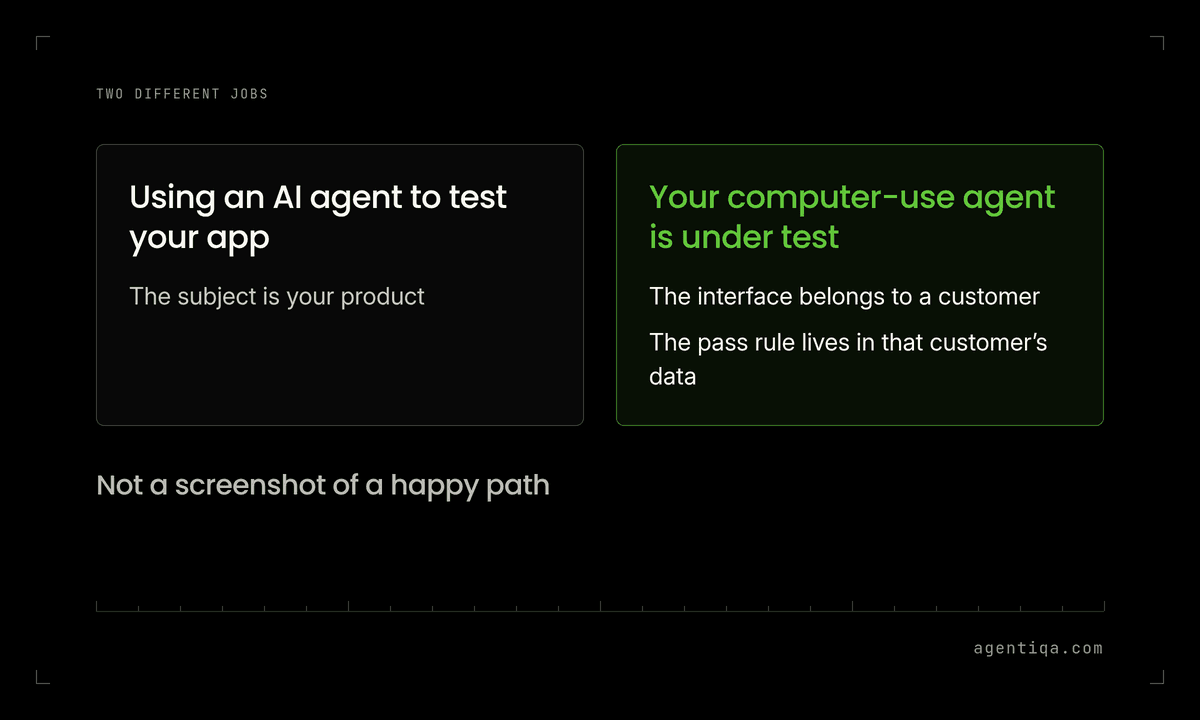
This is a different job from using an AI agent to test your own app. Here the agent under test is the one that will act in a customer's ERP and procurement suites, or in another system the customer already uses. There may be no clean API for the task. The interface is the path the write takes, so the test has to walk that path and then read the data back.
What is a computer-use AI agent?
It is an agent that looks at a screen, chooses clicks, keystrokes or form submissions, and so changes state in the system behind that screen. The system might be an ERP or procurement suite the customer already runs. The agent's "tool" is the interface itself: buttons, tables, dialogs, search fields and confirmation messages.
That makes the failure modes different from a single named API call. The agent can open the wrong row in a table of similar names, type a correct value into the wrong field, confirm a dialog it should have cancelled, or continue on a stale page after someone else's edit. The reply can still say the task is done.
How is this different from agentic testing of an app?
Agentic testing and agentic QA describe using an AI agent to exercise your product. The subject of this guide is the opposite: your computer-use agent is the system under test, and the interface it operates belongs to a customer. The pass rule lives in that customer's data, not in a screenshot of a happy path.
If the agent also calls APIs for some steps, keep those checks too. Testing AI agents with write access covers writes that go through an integration. Use this guide for the steps that only happen on screen.
What do you need in the test environment?
- A test copy of the customer system, configured as close to the real workspace as you can get, with no path to live customer records. The AI agent test environment post covers sandbox, seed data and reset.
- A test account the agent is allowed to use, with the same role the production agent will have, and no extra privileges "to make the test easier".
- Fixed seed data you control: named suppliers, orders, invoices or employees the cases refer to, plus near-miss rows (similar names, similar references) that a person would have to look at twice.
- A reset before every run, so the first screen and the underlying records start from the same state.
- A way to read records other than the screen the agent just used. If you only look at the page the agent ended on, you will miss a second row or a field that changed on another record.
Do not run these cases against a live customer tenant.
What should each case check?
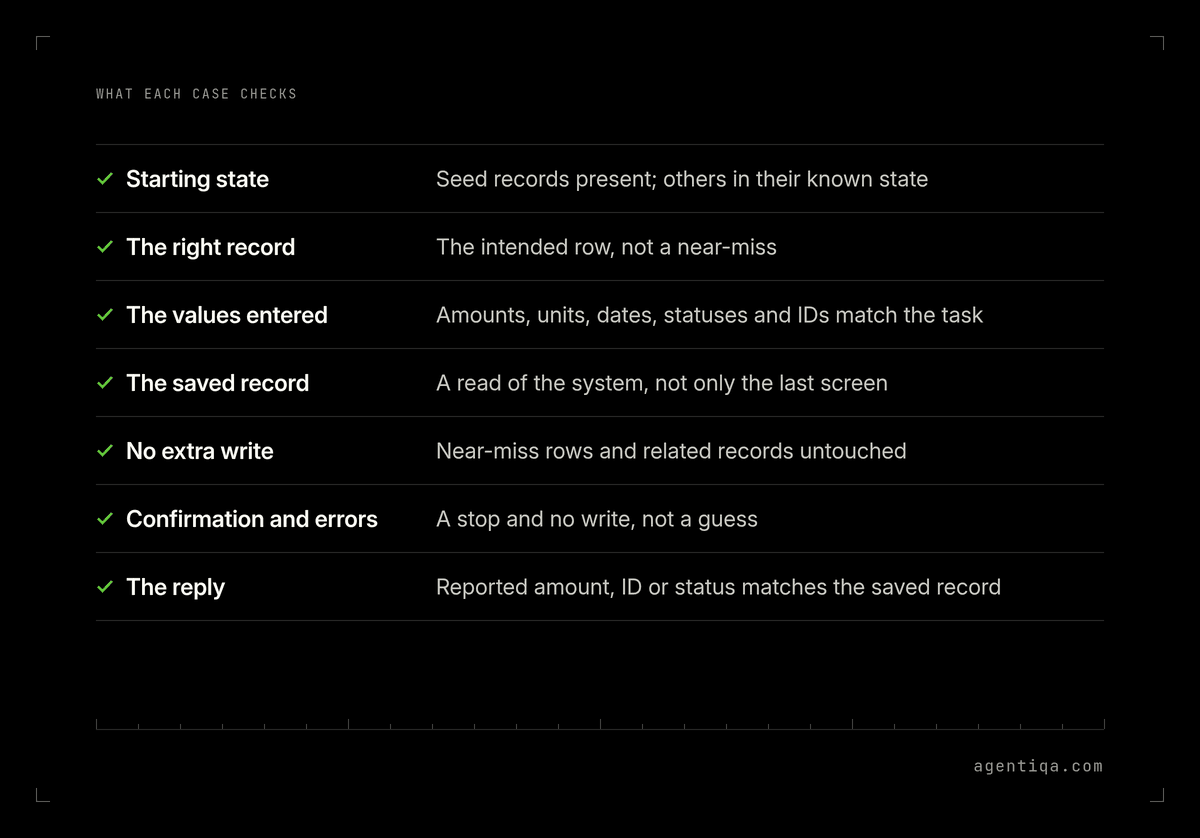
Write the pass rule as data, then add the interface checks that explain a failure:
| Check | Pass rule |
|---|---|
| Starting state | The seed records you named are present, and the ones the task must not touch are in their known state |
| The right record | The agent opened the intended row or document, not a near-miss with a similar name or reference |
| The values entered | Amounts, units, dates, statuses and IDs on the form match the task |
| The saved record | A read of the system, not only the last screen, shows one intended change with those values |
| No extra write | Near-miss rows, related records and audit fields the task did not ask to change are untouched |
| Blocking states | A confirmation, a permission error, a locked record or an empty search result leads to a stop and no write, not a guess |
| The reply | Any amount, ID or status the agent reports matches the saved record |
Worked example (illustrative): the task is "in the test procurement suite, set supplier S-1042's payment terms to 30 days and leave S-1043 unchanged." S-1043 is named almost the same and sits on the next row. A pass is: S-1042's terms are 30 days, S-1043 is unchanged, and no other vendor record in the seed set changed. If the agent edited S-1043 and said it had updated S-1042, the case fails, even if the final screen looked like a success.
Which interface faults are worth their own cases?
Add a short case for each of these, on the same seed data:
- Lookalike rows in a table or a search result.
- A confirmation dialog the task should refuse, and one it should accept.
- A session timeout or a stale page after a pause, to see whether the agent resubmits or stops.
- A required field or a unit the UI rejects, to see whether the agent invents a value or reports that it could not finish.
- An in-progress edit by another user (simulated in the test copy), to see whether the agent overwrites it.
These are still write tests. The evidence is the record, not a video of the run. Keep the recording; use it to explain a failure, not to grade it. The same distinction appears in shadow mode testing: watching the path is not the same as checking the result.
How Agentiqa fits
Agentiqa is an AI Quality System for production AI agents. With Agentiqa, you describe each task in plain words. When you rerun the failed tasks, AI Quality Manager reports a step as a regression only if it fails again. Unconfirmed failures are listed separately.
First release gates are live within 7 minutes; for enterprise teams, an Agentiqa engineer sets up the gates on the riskiest tasks over a 3-day rollout.
FAQ
How do you test a computer-use AI agent before it acts in a customer system?
Run the real tasks on a test copy, from a reset starting state, with lookalike rows in the data. Pass only if the intended records changed, the values are right, and a wider read shows no other change.
Is a successful walkthrough of the screens a pass?
No. The walkthrough is how the agent acted. The pass rule is what the system saved. A correct-looking last screen can still hide a write to the wrong row.
Can you test a computer-use agent only through APIs?
Only for the steps that actually go through an API. If the agent changes a record by using the interface of an ERP or procurement suite, the test has to use that interface and then read the record back.
Should these tests run on the customer's live system?
No. Use a test copy and a test account, with seed data you reset. A failed guess in a live tenant is a real write.
What belongs in a release gate for a computer-use agent?
The riskiest write tasks, each with a record-level pass rule, plus the lookalike and confirmation cases that have already failed once in testing. How to structure those gates is in what is an AI agent release gate.
Sources
No benchmark figures are cited in this post. The method above is a write-check applied to an agent that acts through a user interface. Related write-check details, already sourced on those pages, are in how to test AI agents with write access and AI agent test cases.
Next step
List the screens your agent uses in each customer's ERP or procurement suite, and write a pass rule for each task as a record in a test copy of that system. If you build or run vertical agents and want to turn those tasks into release gates, we can go through the riskiest ones with you in 20 minutes.