
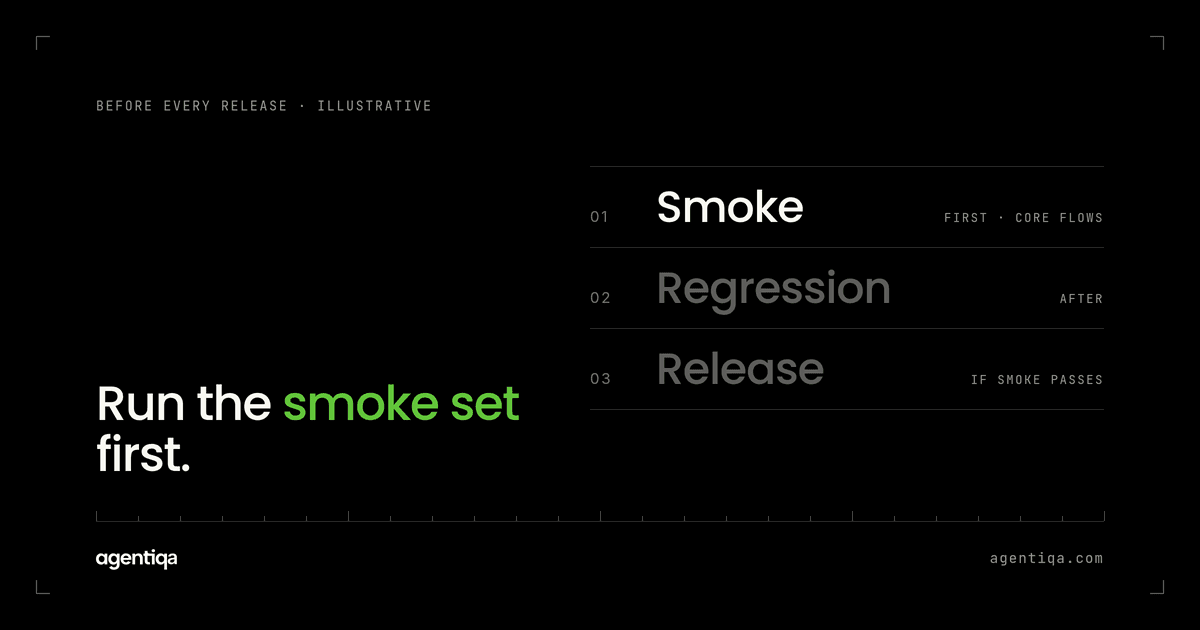
In short: a smoke test for an AI agent is a short set of its most important flows, run end to end before each release, that checks the agent still does the basic jobs correctly in the systems it writes to. Pick the flows a customer would notice first if they broke, run them in a test environment, and read back the written data rather than the agent's reply. If a smoke flow fails, the release stops. Deeper regression and failure testing comes after, but the smoke set is the minimum every version has to pass.
Many teams building agents have a manual version of this already: before a release, someone opens the product, asks the agent to do three or four things, and looks at the result. That habit is right. The problem is that it depends on who does it, what they remember to check, and whether they look at the actual records. This post covers how to turn it into a smoke test that runs the same way every time.
What is a smoke test for an AI agent?
In classic software, a smoke test is a quick check that the main paths of a build work at all before deeper testing starts. For an agent, the main paths are its core actions: creating the purchase order, filing the document, posting the entry, updating the deal. A smoke test runs those actions with realistic requests and checks the result in the target system.
The difference from a normal smoke test is what "works" means. For an agent, a flow that runs without errors can still write the wrong value. So an agent smoke test checks state, not just status.
How is a smoke test different from regression testing?
| Smoke test | Regression suite | |
|---|---|---|
| Purpose | Does this version still do the basic jobs? | Did anything that used to work stop working? |
| Size | Small: the flows customers notice first | Large: core flows, variants, edge cases |
| When | Before each release, first | Before releases and on a schedule |
| Failure cases | Usually happy paths only | Includes injected failures and manipulation |
| Result | Stop or continue | Detailed report per flow |
The smoke set is the subset of the regression suite you run first, because it is the cheapest way to catch a broken version. The full approach is in AI agent regression testing before every release.
Which flows belong in an AI agent smoke test?
Choose by impact, not by coverage. Good candidates:
- The most frequent write. The action the agent performs most often for customers.
- The most expensive write. The action with the highest cost if wrong: payments, orders sent to suppliers, filings with deadlines.
- The flow with the most steps. Long flows break first when a prompt or model changes.
- The flow behind your last incident. If it broke once, it goes in the smoke set.
Start with three. A smoke set that takes too long to run stops being run. For a longer list to choose from, see AI agent test cases.
How do you write a smoke test for an agent?
Give it a realistic request
Use the kind of wording real users send, including short, messy requests. "Reorder the usual toner for Munich" is a better smoke input than a perfectly structured instruction.
Write the expected end state
For each request, list what should exist after the run: which record, which fields, which values, how many records. For example: one purchase order, supplier matches the last toner order for the Munich site, quantity as on the last order, cost center of the requester, status pending approval.
Read back the system
After the run, read the record through the target system's API or UI and compare it with the expected state. The agent's confirmation message is not evidence. See hallucinated success.
Check that nothing extra happened
Count records before and after. A smoke flow that creates the right order and a second copy is a failure. See duplicate writes.
Reset before the next run
Start every smoke run from the same seed data, or results will drift.
What should trigger the smoke test?
Anything that can change the agent's behavior:
- a change to prompts or system instructions;
- a model change or a provider update;
- a change to tool definitions or the APIs behind them;
- a change to configuration, such as thresholds or allowed actions;
- an update in the target system, where you control the test instance.
Model and prompt changes deserve attention because they do not look like code changes and are easy to ship without review.
What should a failed smoke test do?
Stop the release and show why. Useful evidence includes the request, the steps the agent took, the expected and actual data side by side, and enough detail to reproduce it. A failure that only says "flow 2 failed" leads to reruns instead of fixes.
Decide in advance what counts as a failure. Wrong data, duplicates, missing records and false success messages fail. Different wording in the agent's reply does not.
When is a smoke test not enough?
Treat it as the floor. A smoke test does not cover injected failures, untrusted input, unusual data or the long tail of flows. For agents with write access to ERP, CRM, billing or legal systems, the full gate also needs failure and misuse cases. The method for testing AI agents that write to your CRM or ERP covers the wider set.
How does Agentiqa help?
Agentiqa builds high-confidence release gates for vertical AI agents in high-liability domains such as procurement, legal, finance and supply chain. Smoke flows are a natural first set of gates: the agent's critical flows run end to end, the written data is read back and compared, and the release stops on a mismatch with the trace and the data diff. First release gates live within 7 minutes. For teams starting with web apps or simple agentic workflows, the free Community Edition is a way to try this kind of testing yourself.
FAQ
What is AI agent smoke testing?
It is a short, end-to-end check of an agent's most important flows before a release. It runs realistic requests in a test environment and verifies the data the agent wrote. If a smoke flow fails, the version does not ship.
How many flows should a smoke test have?
Few enough that it runs on every release. Start with three high-impact flows and add one when an incident shows a gap.
Can I run smoke tests against production?
Not for agents with write access. Smoke flows create real records, and in production those have real effects. Use a test environment configured like a customer's.
Do smoke tests replace evals?
No. Evals score how the agent understands and answers. Smoke tests check that its core actions still write the right data. See release gates vs observability and evals.
Is there a free tier?
Yes. The Community Edition is free, with 20 runs a month that reset monthly, and extra credits can be bought any time. Pro is $39/month.
Next step
Write down the three flows you check by hand before a release today, with the expected record for each. That list is your smoke test. If you want help turning it into release gates, we map it with you in 20 minutes.