
In short: to test an AI agent that writes to Salesforce or HubSpot, run its real flows against a sandbox or test account configured like the customer's org, then read the records back through the CRM's API. Check the object, the fields, the owner, the associations and the number of records created, and check what the CRM's own automation did in response. A CRM agent is judged by the state of the CRM after it runs, not by the summary it posts in Slack.
CRM agents are among the most common agents with write access. They log calls, create leads from inbound email, update deal stages, enrich accounts and hand off to sales. Each of those writes lands in the system a sales team uses to forecast and get paid. This post covers what makes CRM writes tricky and how to test them before a release.
Why are CRM writes harder to test than they look?
A CRM is not a passive database. Every customer org is configured differently, and the configuration reacts to what the agent writes.
- Validation rules reject records that look fine to the agent.
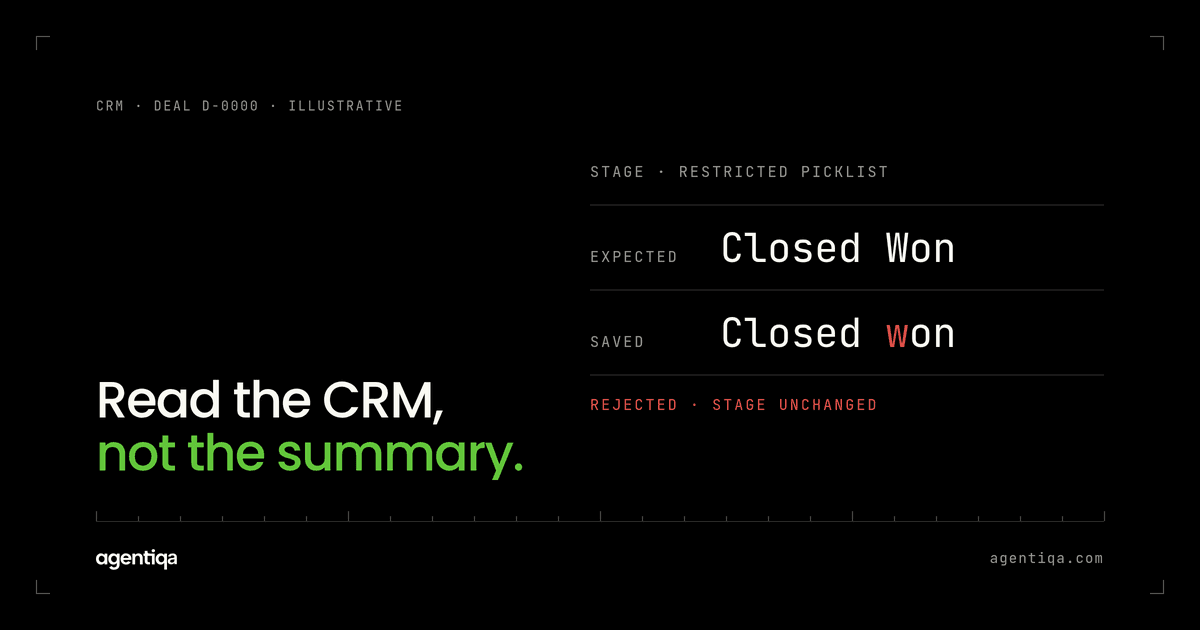
- Restricted picklists only accept exact values. "Closed won" and "Closed Won" are different.
- Duplicate rules may block a new lead, merge it or just warn, depending on the org.
- Automation fires on create and update: Salesforce flows, HubSpot workflows, assignment rules. One write from the agent can trigger several more.
- Permissions differ by user. The integration user the agent runs as may not see fields a human sees. How to test what the agent can reach is in AI agent permission testing.
So the same agent version can work in your demo org and write wrong or partial data in a customer's org. We describe the general pattern in AI agent wrote wrong data to your CRM or ERP.
What goes wrong with CRM agents?
Wrong record, right data. The agent updates the contact at a similarly named account, or attaches a call log to an old closed deal instead of the open one.
Duplicates. The agent creates a new lead because it searched by name instead of email, or retries after a timeout and creates the record twice. See duplicate writes and idempotency testing.
Overwritten fields. An enrichment step replaces a value a sales rep entered by hand, such as phone number, title or deal amount, with a guessed one.
Missing associations. The contact is created but not linked to the company. The deal is created but no contact role is set. Reports and automations that rely on those links stop working.
Stage and owner errors. The agent moves a deal to a stage it should not skip to, or assigns a lead to the wrong rep, which then triggers the wrong sequence.
Success that did not happen. A validation rule rejected the update, and the agent reports it as done. See hallucinated success.
How do you test an AI agent against Salesforce or HubSpot?
Use a test org shaped like the customer's
Salesforce offers sandboxes and scratch orgs. HubSpot offers test and sandbox accounts, with options that depend on the account type and plan. Whichever you use, copy the parts of the configuration that affect writes: custom fields, picklist values, validation rules, duplicate rules, required fields, automation and the integration user's permissions. A clean default org will pass tests that a real customer org fails.
Seed awkward data on purpose
Add the records where agents tend to pick the plausible wrong option: two accounts with similar names, a contact who changed companies, a closed deal and an open deal for the same account, a lead that already exists with a different email capitalisation. These are what turn a demo into a useful test.
Write expected state per flow
For each flow, write the request and the full expected result. For example:
- Request: "Log today's call with Anna Weber at Example GmbH and move the renewal deal to Negotiation."
- Expected: one call activity, linked to Anna's contact and the open renewal deal; deal stage Negotiation; deal amount and close date unchanged; no new contact; no new account.
Then read every one of those values back through the API after the run.
Check the side effects
Look at what the CRM did after the agent's write: tasks created by automation, owner reassignment, emails queued by a sequence, field updates from a flow. An agent that writes one wrong field can trigger a chain of correct-looking automation on top of it.
Inject failures
Repeat core flows with a timeout on the update call, an API rate limit response, and a validation error. The expected result is either a correct record or a clear report that the write did not happen. Not two records, and not a success message.
Test untrusted input
Inbound email, form fills and call transcripts are untrusted. Include cases where the text asks the agent to change the owner, delete a record or mark a deal as won. The expected result is no such change.
What should block a release of a CRM agent?
- any write to the wrong record;
- any duplicate contact, lead, account or deal;
- any overwrite of a field the flow should not touch;
- any missing association that the flow should create;
- any success message without the matching change;
- any change caused by instructions inside untrusted input.
A different wording in a call summary does not block. A deal attached to the wrong account does.
How often should CRM agent tests run?
Before every release of the agent: prompt changes, model changes and tool changes all affect how it reads and writes records. Then on a schedule, because the customer's org changes too. A new required field or a new validation rule can break an agent that has not changed at all. If your agent serves several customers, keep one test org per distinct configuration pattern rather than one for all. Our post on AI agent regression testing covers how to structure those runs.
Where do evals and monitoring fit?
Evals help with the language side: did the agent understand the request and pick the right action? Monitoring shows what happens in production. Neither tells you, before a release, whether the new version still writes the right records in a configured CRM. That is the job of a release gate. The three are compared in release gates vs observability and evals.
FAQ
Can I test a CRM agent with mocked API responses?
For unit tests of your own code, yes. For release decisions, no. Mocks skip validation rules, duplicate rules and automation, which is where CRM agents fail. Use a sandbox or test account with real configuration. What else that environment needs is in AI agent test environment.
How do I stop my agent from creating duplicate contacts?
Search by a stable key such as email before creating, handle the CRM's duplicate rule responses, and use idempotent writes for retries. Then test it with near-duplicate seed data and injected timeouts.
Should the agent be allowed to overwrite fields a person entered?
Usually not without a rule. Decide which fields the agent may fill only when empty, which it may update, and which it must never touch, and test each group.
Does Agentiqa integrate with Salesforce or HubSpot?
Agentiqa tests your agent's flows and checks what was written. The setup depends on how your agent connects to the CRM. We scope it in the audit; see Enterprise.
Is there a free tier?
Yes. The Community Edition is free for web apps and simple agentic workflows, with 20 runs a month that reset monthly. Pro is $39/month.
Next step
Take the CRM flow your agent runs most often and write the expected record, field by field, including associations and owner. If you want help mapping the rest, we do it with you in 20 minutes and show a release gate stopping a live failure.