
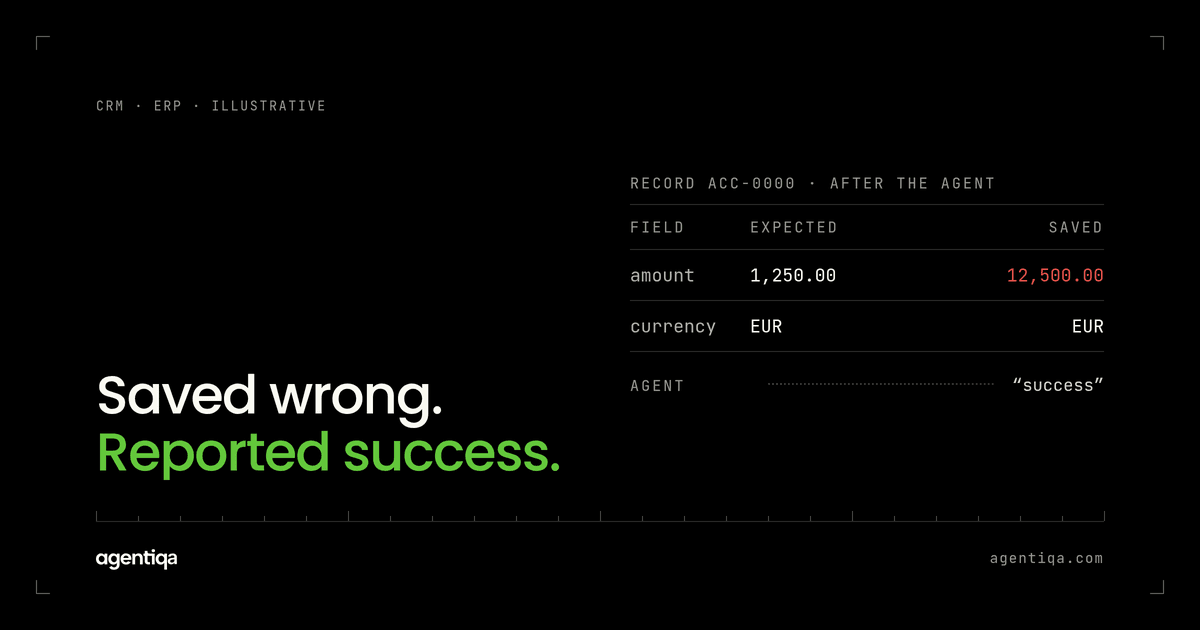
In short: an AI agent writes wrong data when the write succeeds but the values are off, such as a truncated ID, the wrong unit or two swapped fields, so most tests pass. Catch it by reading the saved record back after each critical flow and comparing it field by field with what should be there, before each release.
Of the failures an agent with write access can have, this one is the quietest. There's no error, no duplicate and no false "done". There's just a record that looks right at a glance and is wrong.
What does wrong data look like?
These are the common shapes. The examples are illustrative.
- Truncated identifiers.
AGR-2026-991842saved asAGR-2026-99because a field has a length limit or the model shortened it. - Unit mismatches. The request says 120 meters; the ERP stores 120 pieces because the item's default unit differs.
- Swapped or shifted fields. First and last name reversed, billing and shipping address mixed up, net and gross amounts swapped.
- Wrong record. The right update applied to a similar contact or a supplier with a close name.
- Silent overwrites. The agent updates one field and clears or replaces another it was never meant to touch.
- Format drift. Dates read as month/day instead of day/month, or decimal commas read as thousands separators.
Why does it get past tests?
The write succeeded. Status 200, a record ID came back, so any check that looks at the response passes.
Evals read the transcript. The agent's message quotes the value it meant to write, so an LLM judge sees a correct answer. What evals, observability and a release gate each check is laid out in AI agent release gates vs observability and evals.
Mocks accept anything. A mocked CRM doesn't enforce field lengths, default units or validation rules, so the mismatch never happens in the test.
Spot checks are too coarse. Checking "an order exists" misses that the quantity unit is wrong.
The same pattern is behind why all your tests pass but production still breaks.
How do you catch it?
Read back the record and diff it. For each critical flow:
- Write the expected record down, field by field: IDs, quantities with units, amounts with currency, dates, links to parent records.
- Run the real flow against a sandbox of the target system with seeded data, so the real field lengths, defaults and validation rules apply.
- Query the record directly after the agent reports completion. Don't use the agent's own summary as evidence.
- Compare every field that matters, plus the fields that shouldn't have changed.
- Compare the agent's message with the record. If the confirmation says 120 meters and the record says 120 pieces, that's two bugs: a wrong write and a misleading report, which overlaps with hallucinated success.
A small table per flow keeps this honest:
| Field | Expected | Check |
|---|---|---|
| Agreement ID | AGR-2026-991842 | Exact match, full length |
| Quantity / unit | 120 / meter | Both match |
| Supplier | S-17 | Exact ID, not name similarity |
| Fields not in scope | Unchanged | Compare with the value before the run |
Which inputs should you test?
The bugs hide in inputs that look normal to people and odd to systems: long IDs near a field limit, items whose default unit differs from the requested one, customers with similar names, number and date formats from other locales, and records with optional fields already filled in. Seed your sandbox with these on purpose. Add a few inputs written to mislead the agent as well, such as an invoice that asks it to change a supplier's bank account; testing for misuse and prompt injection covers how. Domain cases, such as units of measure on replenishment orders and requisitions, are in testing supply chain AI agents and testing AI procurement agents.
Run the checks before every change to prompts, models, tools or field mappings, because each of those can change what lands in a field. If the same flows also get injected 502s and timeouts, you cover duplicate writes at the same time. The full method is in how to test AI agents that write to your CRM or ERP, and the AI agent production readiness checklist includes these field-level checks in its list for launch.
FAQ
Why does my AI agent write the wrong values to the CRM?
Common causes are field length limits that truncate IDs, default units that differ from the request, similar records that get confused, and date or number formats read the wrong way. The write still succeeds, so nothing flags it.
How do you test that an AI agent wrote the right data?
Run the real flow against a sandbox, query the saved record directly and compare it field by field with the expected values, including fields that should not have changed.
Can evals catch wrong data in a system of record?
Usually not. Evals read the agent's output, which quotes the intended value. Only a read-back of the actual record shows what was saved.
Shipping AI agents with write access to ERP, CRM or billing? Agentiqa sets up high-confidence release gates for vertical AI agents in high-liability domains that reads back what your agent saved and stops the release when a field is wrong. The gates run before every release, and the first release gates are live within 7 minutes. Book a 20-Minute Mutation Risk Audit.